The Certified SOLIDWORKS Associate (CSWA) is Dassault Systèmes' entry-level credential for building and evaluating parts and assemblies in SOLIDWORKS Design. The CSWA exam lasts three hours and requires 70% to pass. One attempt costs US$99 at the North American list price, but check your school, student package or employer's vouchers before buying a credit.
I'd take it when you can build a part from a dimensioned drawing and change its dimensions without following a video. You should also be able to explain the resulting mass without following a video. Those tasks expose the difference between a shape that looks right and a model whose geometry and material are correct. Its references must be correct too.
Choose the Design Associate exam
The catalog calls the general mechanical-design exam SOLIDWORKS Design Associate (CSWA). Separate Associate exams cover Simulation, Electrical and other subjects, so check the full exam name when you buy or redeem a voucher.
CSWA sits below CSWP, the Professional level. The certification program's general rules don't require an earlier certificate for Associate or Professional exams. CSWA is a useful first target for a student or junior designer, rather than a compulsory step for every experienced user. The school-administered Academic route has its own rules; follow your instructor's exam assignment.
Know the current exam rules
| Item | Individual CSWA Design exam |
|---|---|
| Duration | 3 hours |
| Passing requirement | 70% |
| North American list price | US$99 for one attempt |
| Retake | At least 14 days between attempts, with a new exam credit |
| CAD file compatibility minimum | SOLIDWORKS 2011 or later, as specified on the exam page |
| Exam environment | Online testing alongside a running copy of SOLIDWORKS |
The exam page publishes the duration and pass mark, rather than a fixed question count. Prepare for its listed skills and the instructions in your assigned exam. The 2011 requirement is a file-compatibility minimum; arrange your working SOLIDWORKS installation before the exam day.
You can't pause the exam clock. It continues during a computer restart, too, so a crash-recovery route doesn't give you extra working time. Arrange any approved extra time through the certification team before starting.
Check for an included attempt before paying
The official catalog's US$99 price covers one North American attempt. Purchased credits don't expire until used; check the local checkout for your purchase price.
- Ask your school. Students at an Academic Certification Provider on subscription may have free exam access; minimum license requirements vary by region. The current CSWA Academic exam runs through the provider program. It lists a 70% passing requirement and allows a full three-hour exam or two 90-minute parts. Each part must be passed separately; scores do not carry between parts, and the certificate follows after both are passed. Confirm the assigned sitting with your instructor.
- Check your student package. Design Premium for Students includes CSWA and CSWP attempts and lists US$60 per year as the US price before local taxes. The free Design Standard for Students offer excludes certification vouchers. A free CAD license and a free exam attempt are separate entitlements.
- Ask your employer's license administrator. The Subscription Service certification offer covers eligible company subscriptions to SOLIDWORKS Design, xDesign and DraftSight. Makers and Machinist licenses don't qualify for that particular offer. Education and Student licenses are also excluded; school and student-package benefits follow their own routes.
If you need the student software as well, settle eligibility through the student license guide first. An exam credit gives access to the assessment; have your CAD software available separately.
Practise the model changes the exam covers
Use the official CSWA sample bundle for practice geometry and example question formats. It includes a practice guide and assembly parts. Some administrative instructions in that older guide differ from the current procedure, so use the present exam page for retakes and the current testing route for starting.
The exam's published scope includes sketching, boss and cut features, patterns, materials, mass properties, assemblies, drawing views and annotations. Work through them in the order the file needs them:
| Skill | A useful practice checkpoint |
|---|---|
| Sketches and dimensions | Build from a dimensioned drawing. Change a driving dimension and check that the intended relations survive. |
| Features | Practise extrudes, revolves, sweeps and lofts, then cuts, fillets, chamfers and patterns. Read start and end conditions before accepting a feature. |
| Materials and mass | Assign the specified material, verify units and calculate mass. Repeat after changing the model. |
| Assemblies | Insert parts and use standard mates. Change a specified distance or angle and check which component should move. |
| Drawings | Recognize the requested view and annotation. Identify what a section or projected view reveals about the part. |
For structured study, the exam page links the Academic Curriculum, SOLIDWORKS Design Essentials and the CSWA Exam Prep Course on MySolidWorks. A walkthrough is useful while learning a command; repeat the exercise with the walkthrough closed before treating it as preparation completed.
Check units, material and the reporting frame
Mass depends on model geometry and material properties. A plausible-looking part can still return the wrong answer when its material or dimensions are wrong. Work from the question's specified settings:
- Match the units. In SOLIDWORKS Design 2026, use Tools > Options > Document Properties > Units. Check the dimensions in the model as well as the units shown with the result. Custom units and decimal places in Mass/Section Property Options change how properties are reported; they do not correct an incorrectly sized model.
- Assign the material. In a part, right-click Material in the FeatureManager design tree and choose Edit Material. Select the specified material, then Apply and Close.
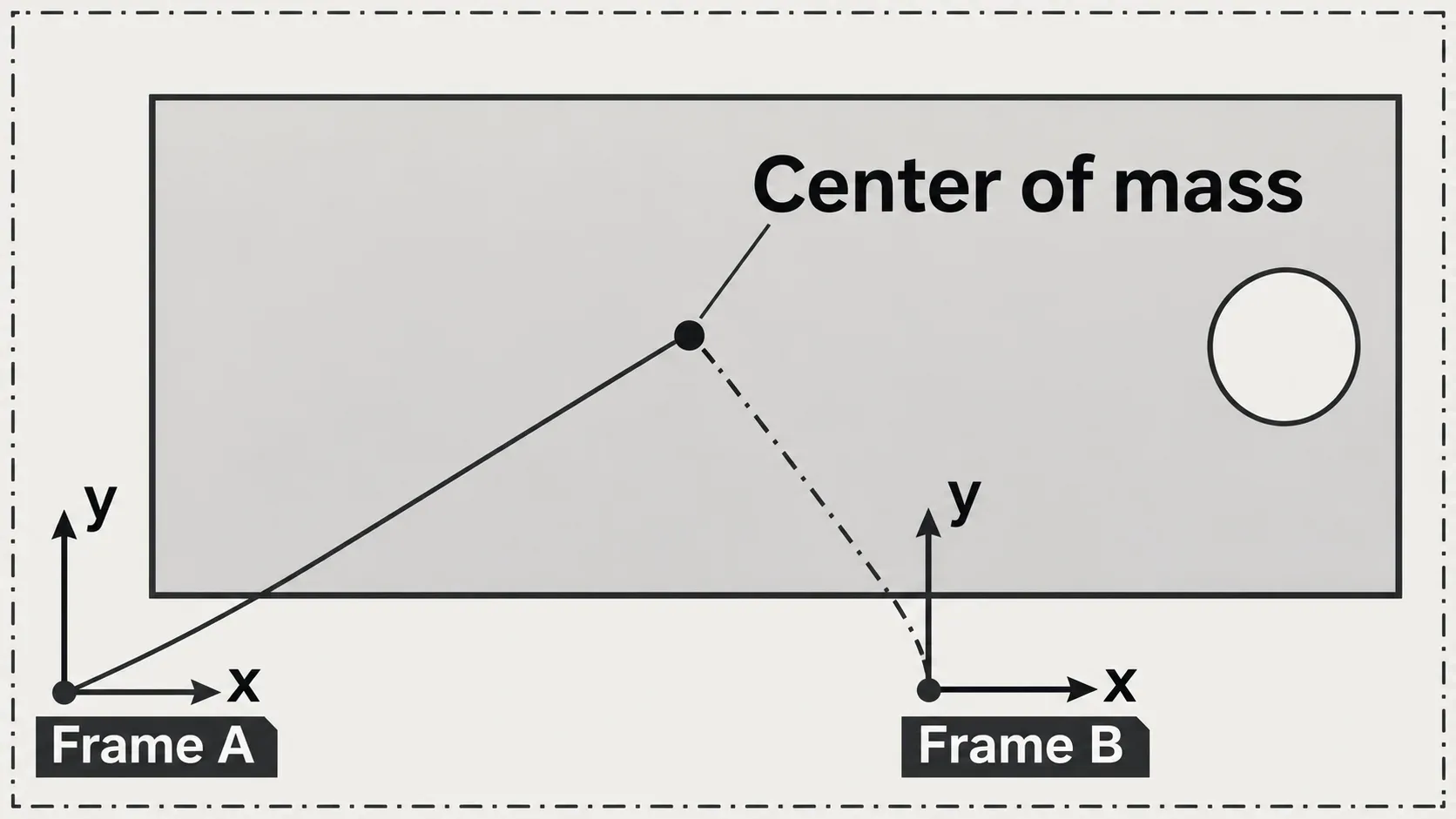
- Read the requested property. Open Tools > Evaluate > Mass Properties. For center-of-mass coordinates, check Report coordinate values relative to against the required coordinate system. The Mass Properties dialog lets you select that reporting frame.
- Repeat after an edit. Change the requested dimension, rebuild and check the new result. If you've changed the selected items while the dialog is open, use Recalculate. Keep separate saved versions so you can trace an incorrect result to the change that produced it.
Don't override the mass to match an answer. Use a discrepancy to check the model, material, units and selected bodies or components. For a center-of-mass answer, the coordinate system matters as well: the same physical point has different coordinates when reported from another origin or orientation.
Get access and start through the Web Client
Have SOLIDWORKS running and an internet connection available. The current official exam procedure uses the VirtualTester Web Client. Set up your windows and file-transfer route before the timed attempt; the program recommends the same computer for CAD and testing, with two monitors as a convenient setup.
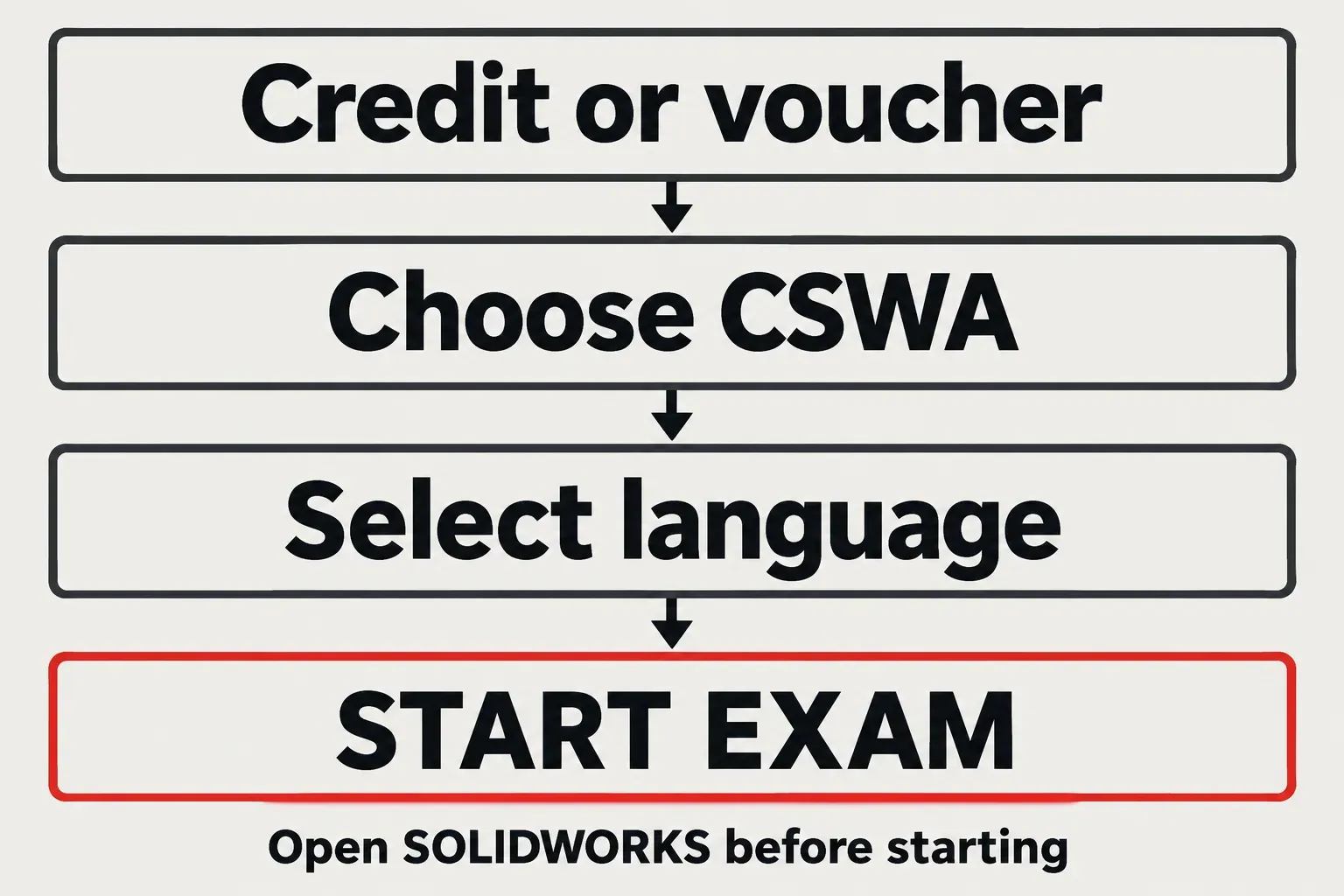
- Obtain a purchased credit, a voucher or access from your instructor.
- Open the VirtualTester Web Client and sign in or create the required account.
- Choose TAKE AN EXAM, select the intended CSWA exam or enter your voucher, and check the exam name.
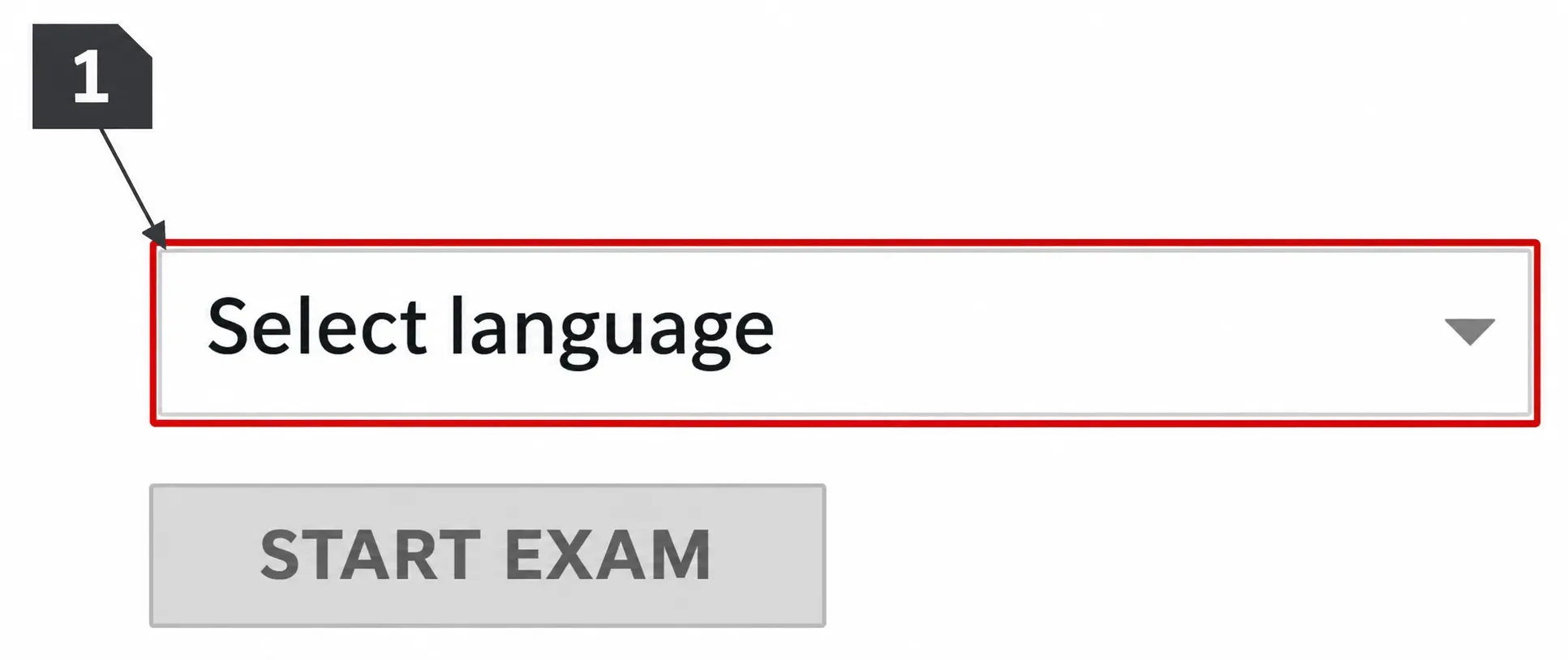
- Select the language. Make the final check that SOLIDWORKS and any required files are accessible.
- Choose START EXAM when you're ready for the timed sitting.
Learn the SOLIDWORKS shortcuts during practice, especially saving and rebuilding. Practise changing the view too. Reassigning keys or learning a new workflow during the timed sitting spends time you need for the model.
Use the certificate as evidence of a defined skill level
A pass earns an electronic certificate and a digital badge; directory listing requires opting in through your certification account. The Dassault Systèmes CSWA badge describes entry-level proficiency in parts, assemblies, dimensions, materials and mass properties. Pair that credential with models you can explain and edit.
Start with the official sample, then repeat the modeling tasks without a walkthrough. When a dimension change rebuilds correctly, the material and units produce the expected property, and the assembly follows its mates, you're preparing the skills the assessment measures.