SOLIDWORKS Design has no native macOS version. It runs as a Windows application; seeing Parallels in the requirements does not establish support for every Mac processor. For desktop modeling, I'd choose a Windows workstation that meets the SOLIDWORKS requirements, because the operating system, processor and graphics can all match the vendor's list. On an existing Mac, first separate an Intel machine from Apple silicon, then decide whether you need to edit the model or only review the file.
| Your task | Route to consider | Condition that matters |
|---|---|---|
| Edit native parts, assemblies and drawings | A Windows workstation, used directly or accessed from the Mac | The Windows computer must meet the requirements for your SOLIDWORKS release; remote access needs its own setup. |
| Use an existing Intel Mac | Check the release-specific Parallels entry with your reseller | The hypervisor listing does not certify every Mac's graphics or hardware. |
| Use an Apple silicon Mac | Keep desktop modeling on Windows unless your organization approves a local setup | Windows on Arm is not listed in the SOLIDWORKS processor requirements. |
| Open and review a supplied file | eDrawings for Mac | Measurement and review tools depend on the file's permissions. |
| Start a design in a Mac browser | SOLIDWORKS xDesign | It is a separate CAD product; agree the file handoff before choosing it. |
Check the Mac's chip before choosing Windows
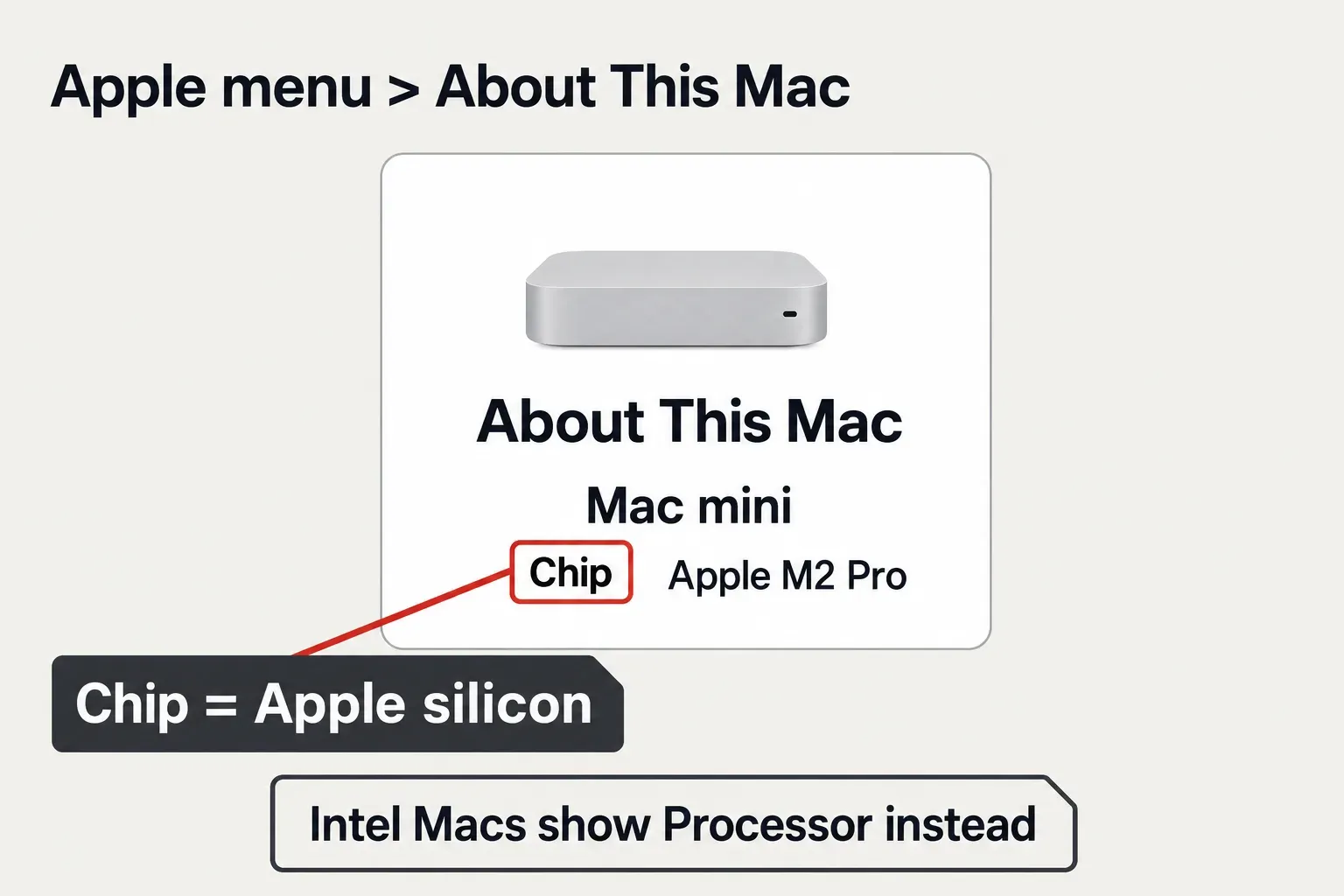
Open Apple menu > About This Mac. Apple identifies the two processor families by the field shown there: Chip followed by an Apple chip name means Apple silicon; Processor followed by an Intel name means an Intel Mac. This check needs no installation.
Next, get the SOLIDWORKS release from your school, employer or license entitlement. Use that release's column throughout the requirements page. A guide for SOLIDWORKS 2025 can give you the wrong Windows or Parallels version for SOLIDWORKS 2026.
Match the SOLIDWORKS release, Windows and processor
The SOLIDWORKS system requirements list these conditions for the 2026 desktop release. The macOS rows on that page belong to eDrawings for Mac, the viewer, rather than the SOLIDWORKS modeling application.
| Requirement | SOLIDWORKS 2026 |
|---|---|
| Client operating system | Windows 11, 64-bit. Windows Home editions and Windows To Go are not supported. |
| Processor | x86_64: Intel 64 or AMD64. |
| Memory and storage | 16 GB RAM; 32 GB recommended. SSD storage is recommended. |
| Graphics | Certified cards and drivers. A GPU is required for optimal performance in a virtualized environment. |
| Parallels Desktop, Mac | 26.0.1 in the hypervisor table. |
Windows 10 support ends with SOLIDWORKS 2025 SP5. The requirements list Windows 11 for SOLIDWORKS 2026 and 2027; the Parallels entry is 20.2.0 for SOLIDWORKS 2025 and remains To be announced for 2027. Match the software you will use, rather than buying the newest hypervisor and assuming it covers an older course or company deployment.
Intel Macs: a listed hypervisor still needs compatible hardware
Intel Macs use the processor family named in the desktop requirements. Parallels' host and guest requirements say that Intel Mac support continues in Parallels Desktop 26, while Desktop 27 runs on Apple silicon only. On an Intel host, Parallels supports x86 operating systems and recommends Windows 11.
That makes the SOLIDWORKS 2026 entry, Parallels Desktop 26.0.1 with 64-bit Windows 11, a route worth checking for a Mac you already own. It does not turn every Intel Mac into a certified workstation. Check whether the Mac can run the required Parallels version and host macOS, and whether its graphics meet the needs of your actual work.
The SOLIDWORKS team's Mac guidance recommends the traditional Windows PC experience over virtualization and warns of graphics and functionality limitations. Before committing to a local virtual machine, give your reseller the Mac model, SOLIDWORKS release and required add-ins. The requirements also explicitly exclude SOLIDWORKS Composer from virtualized environments.
Apple silicon: Windows compatibility and SOLIDWORKS support are separate checks
On an Apple silicon Mac, Parallels lists Arm Windows as the supported guest. Its requirements also describe a preview of x86 operating-system emulation in Desktop 26. A preview does not add Apple silicon or Windows on Arm to the SOLIDWORKS requirements, which still name an x86_64 processor.
Microsoft explains that Windows 11 on the named M1, M2 and M3 Macs can run x64 and x86 applications through emulation. That explains how a Windows application may launch. It does not establish that graphics behave as they would on a native x86_64 Windows workstation. Add-in compatibility and support arrangements still need confirmation.
Parallels promotes SOLIDWORKS on M-series Macs, including M1 through M4. The SOLIDWORKS requirements page does not state support for that Arm setup. I wouldn't buy an M-series Mac specifically for desktop SOLIDWORKS on the strength of that claim: the hypervisor vendor's recommendation leaves the CAD support question unanswered. If a school or employer supplies the license, use the setup it agrees to support.
Boot Camp is excluded from SOLIDWORKS support
The requirements explicitly say that Apple Macs running Windows through Boot Camp are not supported. Apple's Boot Camp instructions cover Windows 10 on Intel Macs; that does not provide a supported route for SOLIDWORKS 2026, which lists Windows 11.
Older tutorials, including the SOLIDWORKS Mac blog post, still mention Boot Camp. For a support decision, use the release-specific requirements and their explicit exclusion. Don't repartition a Mac on the assumption that a successful Windows installation will settle SOLIDWORKS compatibility.
Use the Mac to reach an existing Windows workstation
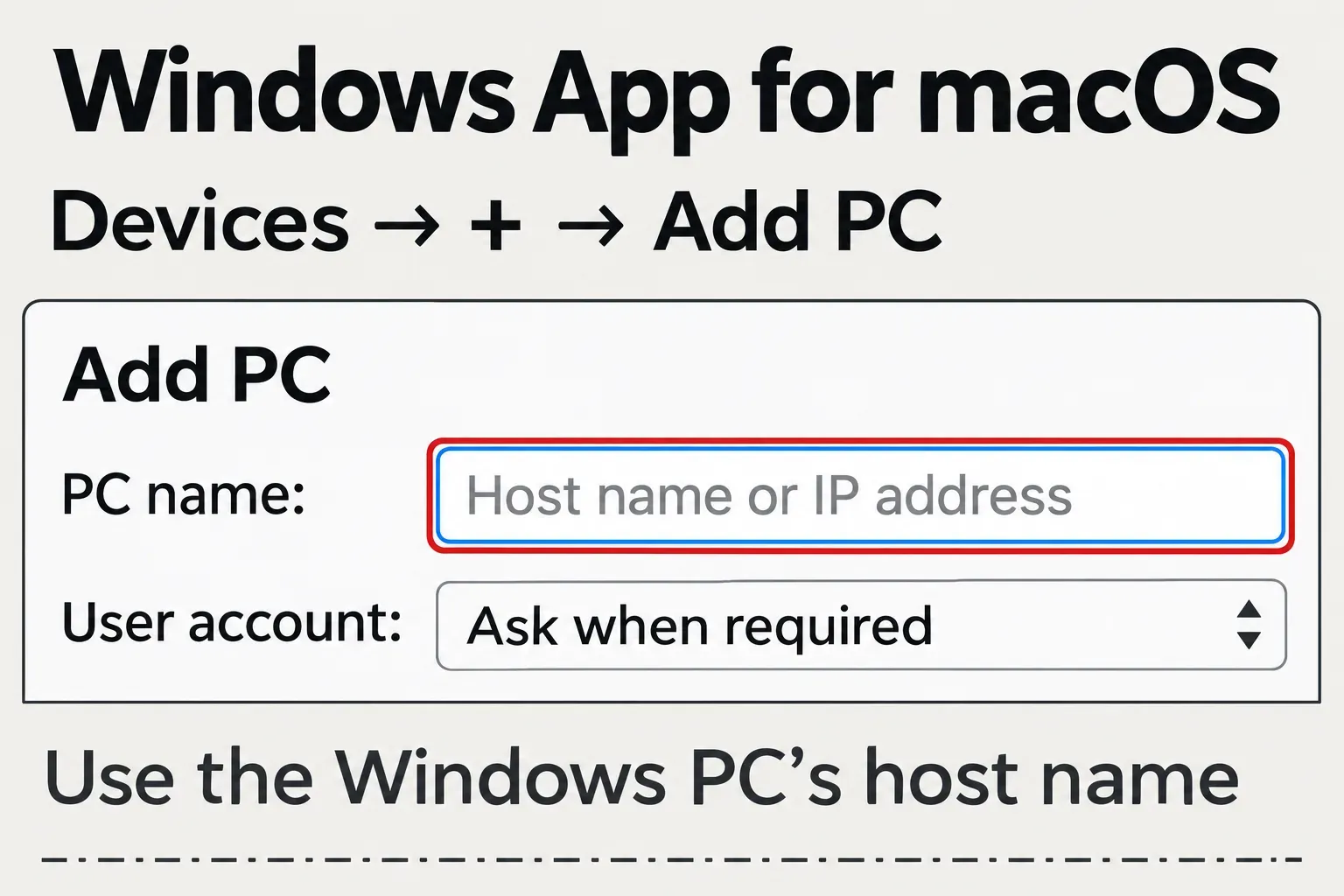
If your organization already provides a suitable Windows computer, remote access can keep the modeling application on that machine. Microsoft's Windows App instructions include connecting from macOS to a remote PC. The Mac needs macOS 12 or later on an actively supported device, network access to the PC and an account on it; Remote Desktop must be enabled on the Windows computer. The Mac displays the remote session; SOLIDWORKS remains installed on Windows.
Ask the administrator to check the workstation, graphics and remote-access arrangement against the SOLIDWORKS release and your license. A Mac remote client is not certification of the computer at the other end. For a course or shared engineering project, this route can also keep you on the same desktop release and add-ins as the rest of the team.
eDrawings for Mac opens files without a Windows installation
When the job is to inspect a supplied part or drawing, use the free eDrawings app for Mac. Its listing includes native SOLIDWORKS parts, assemblies and drawings, eDrawings files, and several exchange formats. It is a viewer and reviewer. Changing a feature or driving dimension still requires a modeling application; so does changing a mate.
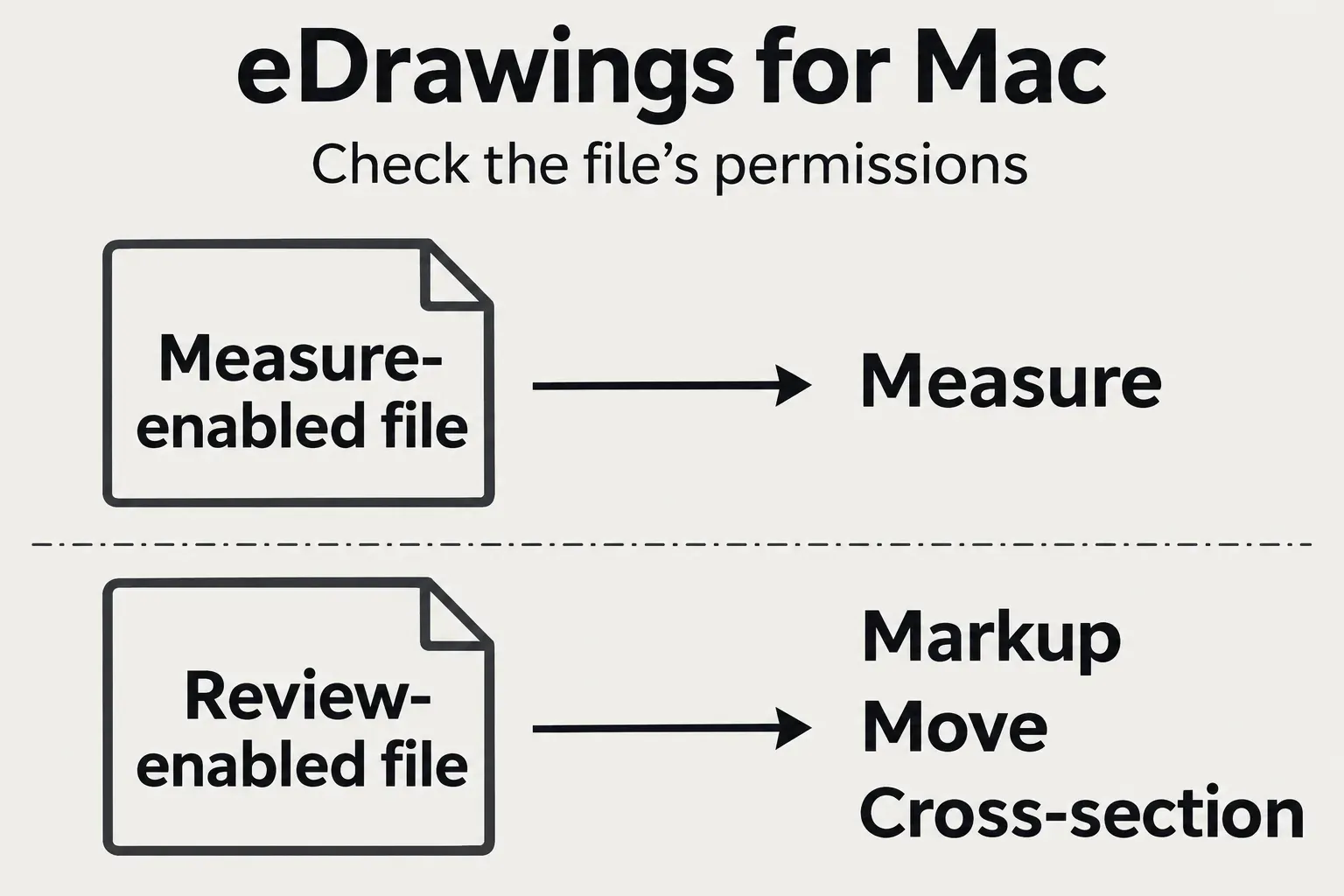
Opening a file does not guarantee that every review tool is available. The measurement requirements specify a measure-enabled document. The Mac viewer's review tools, including markup and cross-section, are activated by review-enabled files. If the needed tool is unavailable, ask the sender for an eDrawings file published with the appropriate permissions. There is no separate eDrawings Professional for Mac to buy as a fix.
Match the viewer release to macOS too. The requirements for eDrawings 2026 list macOS Tahoe 26, Sequoia 15 and Sonoma 14. The App Store's macOS 10.14 installation minimum is a different statement from that release-specific support list. A Mac that clears the store minimum does not automatically match the eDrawings release you need.
xDesign works in a Mac browser, with a different file workflow
SOLIDWORKS xDesign runs in a browser on a Mac without a local desktop installation. It is a separate design product on the 3DEXPERIENCE platform. Cloud deployment of SOLIDWORKS Design does not make the desktop application browser-based: the official comparison still describes its installation as local and PC-only.
The same comparison distinguishes xDesign's cross-compatibility from SOLIDWORKS Design's full native file compatibility. If a colleague or course expects editable SLDPRT or SLDASM files, confirm that requirement before starting in xDesign. Exchanging geometry is a different job from continuing a desktop feature tree or assembly's mates.
Choose the file workflow before paying for software
A native macOS installer advertised as the full desktop SOLIDWORKS product does not match the vendor's supported platforms. Use official software channels, and skip unofficial Mac ports and cracked installers.
Before paying, ask the recipient of your work for the required SOLIDWORKS release and whether they need an editable SLDPRT or SLDASM file. Use that deliverable to settle the computer and license together.